
Breeding notebook / PC full release — November 2026
Use the Foal Simulator to compare breeding pairs
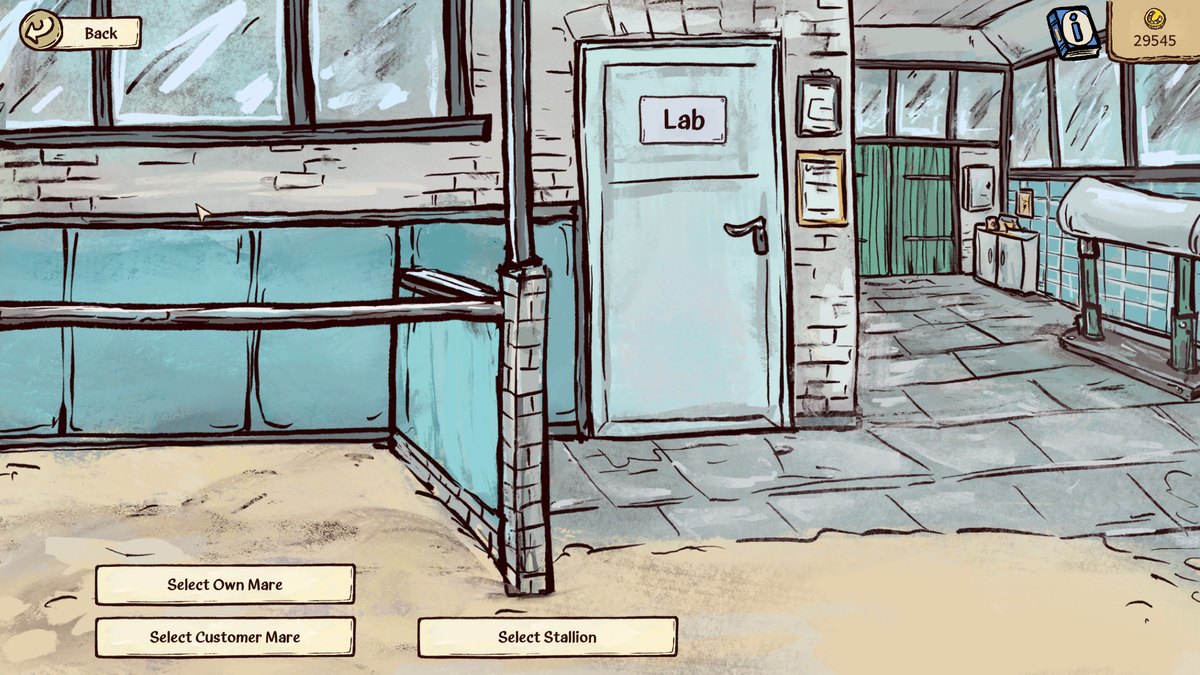
Upgrade the Breeding Station to stage 2, open its Lab door, and choose the Foal Simulator. Change Mare and Change Stallion set the pair; the upper-right panel shows relatedness and foal strength/endurance ranges. Simulate Foals generates examples of appearance. Use the panel to reject a poor pairing before paying for a cover, and do not treat one illustrated foal as a selectable guaranteed outcome.
Updated 2026-11-06 · PC full release — November 2026
The decision, step by step
Unlock and enter the Lab
Breeding Station stage 2 is the Lab unlock. The reported upgrade costs 5,000 coins, takes three in-game days and has a running cost of 40 coins per day. Stage 1 is enough for a natural home cover, but it does not unlock this preview.
 Open full-size image ↗
The door marked Lab is the entrance after the stage 2 upgrade. Set both parents, then read the numbers
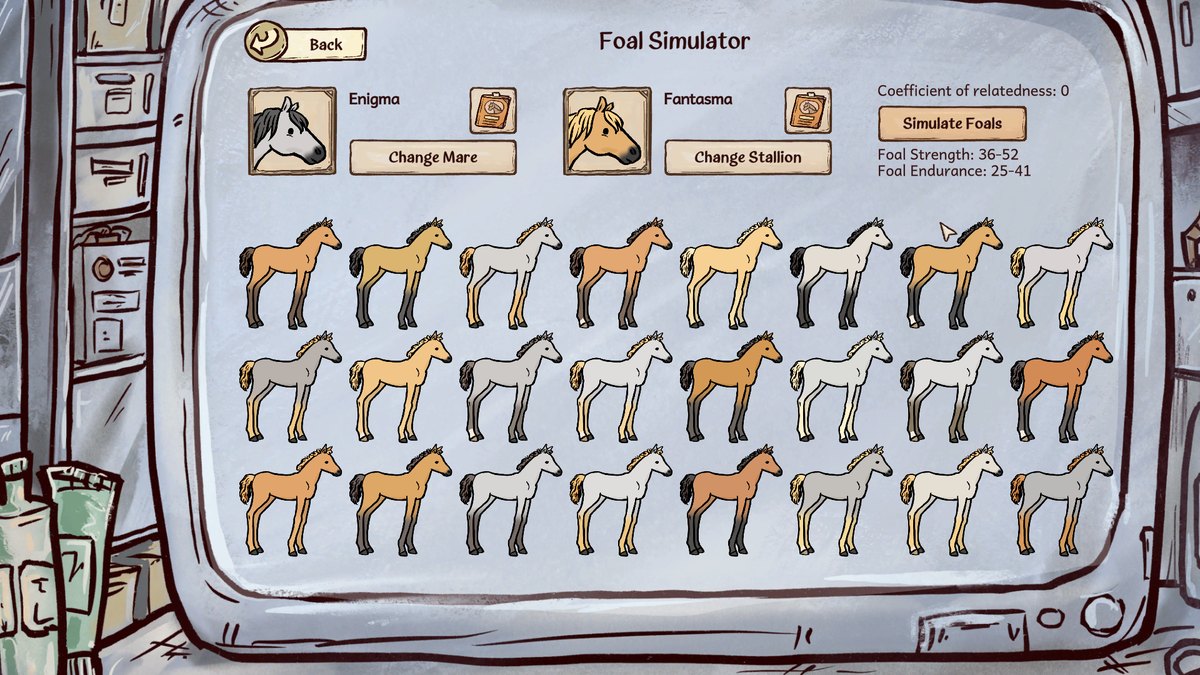
Inside Foal Simulator, use Change Mare and Change Stallion. Confirm the two horse names after changing either selection. In this screenshot, the pair is Enigma and Fantasma, relatedness is 0, and the panel reads strength 36–52 and endurance 25–41.
 Open full-size image ↗
The selected pair’s readout: relatedness 0, strength 36–52 and endurance 25–41. Open the original to see both parent selectors. Check both stats against the target
For the shown pair, endurance is below 50 throughout the preview. This is enough to reject it for a 50/50 potential goal, regardless of how attractive the sample foals look. Changing only the visual samples does not fix that parent combination. Go back to the stallion selection and compare another sire.
Treat the last point and hidden traits carefully
Walkthrough Forge reports that the printed top endpoint is exclusive: 36–52 represents actual rolls up to 51, and 25–41 up to 40, before an unshown hidden Inheritance effect. The simulator counts discovered Inheritance traits; a hidden Bad Inheritance can make the real result worse. The vet’s 200-coin trait test can reveal it. This is reported launch behaviour, not a guarantee that a future patch keeps the same display.
Use the foal grid for appearance possibilities
Press Simulate Foals to inspect sample looks for the selected parents. Coat colour, mane colour and marking groups can come from the parents. The grid helps compare possibilities; it is not a menu for ordering the exact pictured foal. Keep the numerical goal and appearance preference as separate checks.
Open full-size image ↗The grid illustrates possible appearances for the current pair. It does not lock in one of these foals. Return to the breeding route for the chosen pair
Once both potential ranges and the relationship fit your goal, breed the same mare and sire through the eligible route. A simulation does not inseminate the mare; confirm the actual pregnancy separately in her Medical Report.
What success looks like
The preview shows the intended two parents. You have read both stat ranges and relatedness, and either rejected the pair or selected it for a specific target. Pregnancy still needs its own cover and confirmation.
If the result is different
If the Lab is inaccessible, check whether stage 2 construction is complete. If the numbers look wrong, reselect both horses and check known versus hidden traits. If a quest threshold equals only the printed upper endpoint, do not count that as an attainable roll under the reported exclusive-upper-bound behaviour.
Sources & game version
For the PC full game. Screens and community observations can differ after updates; an exact client build is not shown in the published screenshots.