
Yard notebook / PC full release — November 2026
Daily horse care: feed, clean and check before training
Start at the farm overview: supply hay and water to each stable group, then inspect each horse in the stable. Grain and treats are individual feeds. Keep body condition in the green zone, brush visible dirt and read Medical when a horse is injured or cannot work. Recheck condition and exercise after training; a full Confidence bar does not mean the horse is fed or healthy.
Updated 2026-11-06 · PC full release — November 2026
The decision, step by step
Supply the group before treating individuals
Use the farm overview to check hay and water for each occupied stable group. Refill what is missing and muck out. Grain given to one horse does not refill a group’s hay rack or water supply. Include boarders and the group a youngster has just joined.
Read body condition before giving grain
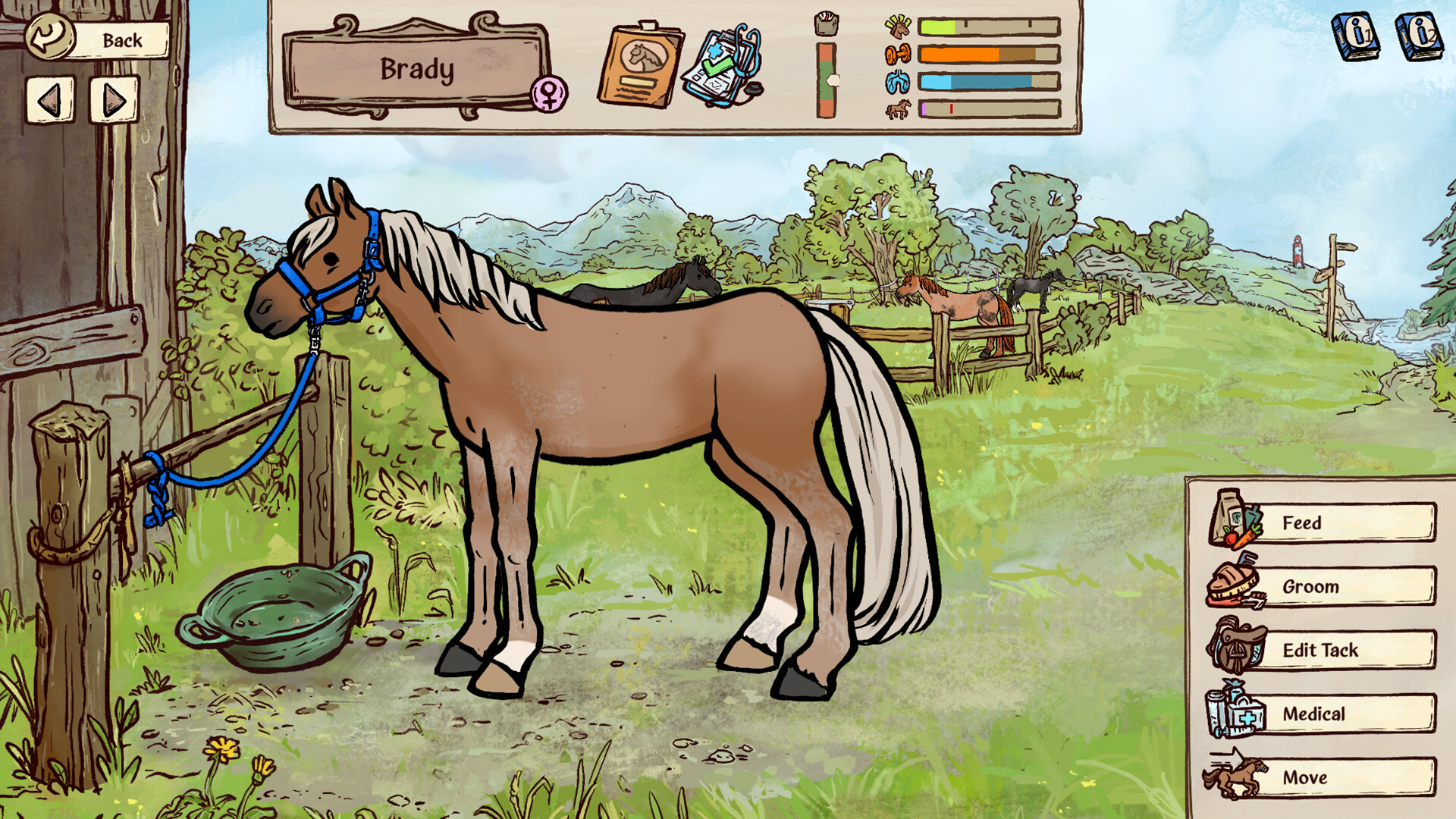
In the horse care screen, green is the healthy body-condition zone. Lower orange means the horse is getting hungry; upper orange means it is becoming overweight. Exercise and overnight time reduce condition. Feed grain to support a horse losing condition, then check the gauge again instead of feeding every horse an identical ration.
 Open full-size image ↗
Body condition is the vertical gauge to the left of the four horizontal status bars. Keep it in the green middle, not either orange end. Official store screenshot; exact depicted build is not shown. More columns → Scroll sideways, or focus the table and use arrow keys.
What to check before another feed Observation Action Follow-up Lower orange / hungry Check hay, then give individual feed Recheck after work and the next morning Green Maintain supply and match feed to workload Avoid adding feed just to empty a checklist Upper orange / heavy Reduce extra grain and treats Keep monitoring condition; avoid overfeeding Pregnant or nursing mare Use the stage-specific feeding and exercise plan Follow the pregnancy care guide Groom the dirt you can see
Select a suitable brush and move it over visible dirty patches on the horse. There is no cleanliness progress bar to fill. Check the horse’s visible body before leaving, particularly before a competition. Dirt is a grooming job; a cut, abrasion or sore needs medical attention.
Open full-size image ↗Use Feed for individual feeding, Groom for dirt and Medical for health. These controls do not refill the group’s farm-overview supply. Use Medical for pain, injury or a blocked activity
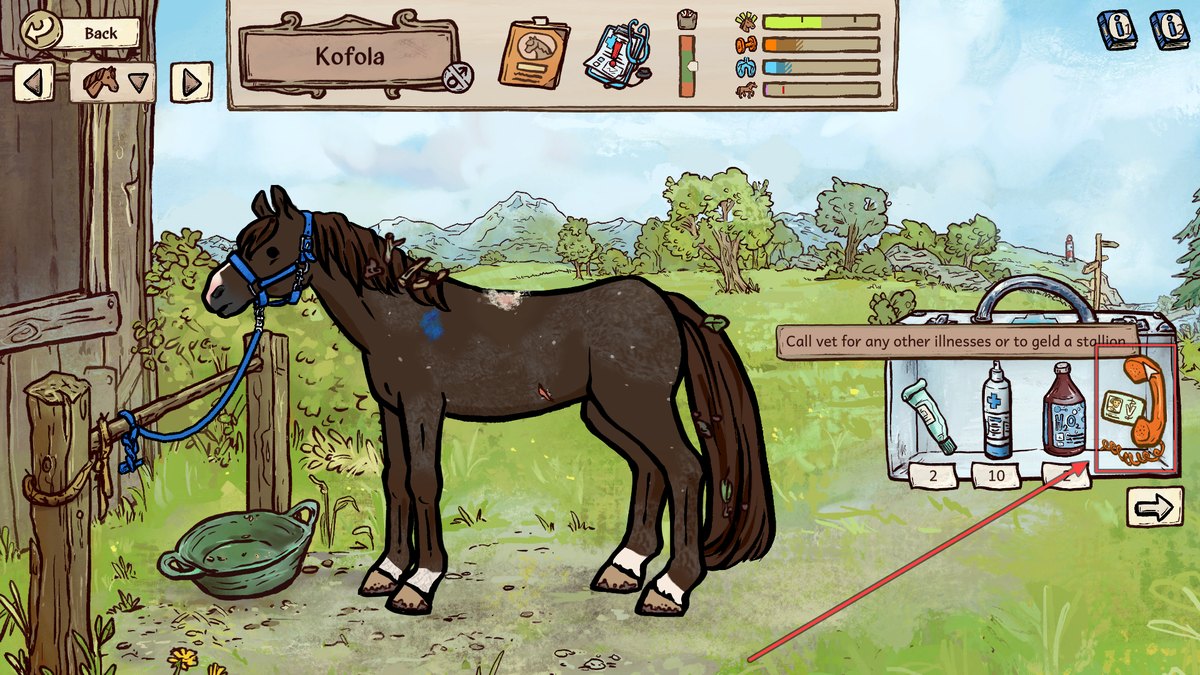
Open the selected horse’s Medical screen and read its report. Use the listed condition to choose the treatment or veterinary care; do not guess a medicine from a general symptom. The phone in the kit calls a vet. Pinned ears after your hand touches a wound can continue until healing, even when it has already been treated.
 Open full-size image ↗
Open Medical, then use the phone in the kit to call a vet. The highlighted phone is shown in this launch-guide screenshot. Finish the day with a second condition and exercise check
Training spends exercise and body condition. Check both before adding a second run. Do not push past the red exercise marker: that can leave the horse exhausted tomorrow. For mares, yearlings and horses recovering from illness, choose only activities their current stage and Medical status permit. Check that feed, water and housing will still cover every horse overnight.
What success looks like
Every occupied group has hay and water, individual body condition is under control, visible dirt is removed and health restrictions are handled before work. The next morning’s condition check tells you whether that horse’s ration needs adjusting.
If the result is different
If the horse remains hungry, check group hay as well as individual feed and look for Hard Keeper or extra pregnancy/workload demand. If it looks unhappy with high Confidence, inspect hunger and wounds separately. If riding is unavailable, read Medical and check age and pregnancy stage before trying more training.
Sources & game version
For the PC full game. Screens and community observations can differ after updates; an exact client build is not shown in the published screenshots.